
 Gript
GriptGet a grip
on your progress
Log every set in seconds. See exactly which lifts got stronger. Bring your Hevy or Strong history with you.
Bring your history from Hevy, Strong, or JEFIT
Switching trackers usually means starting from zero. It doesn't here.
- Reads the CSV exports from Hevy, Strong, JEFIT, Fitbod, and nine more apps directly
- Every set, PR, and chart comes with you — years of history instead of a blank log
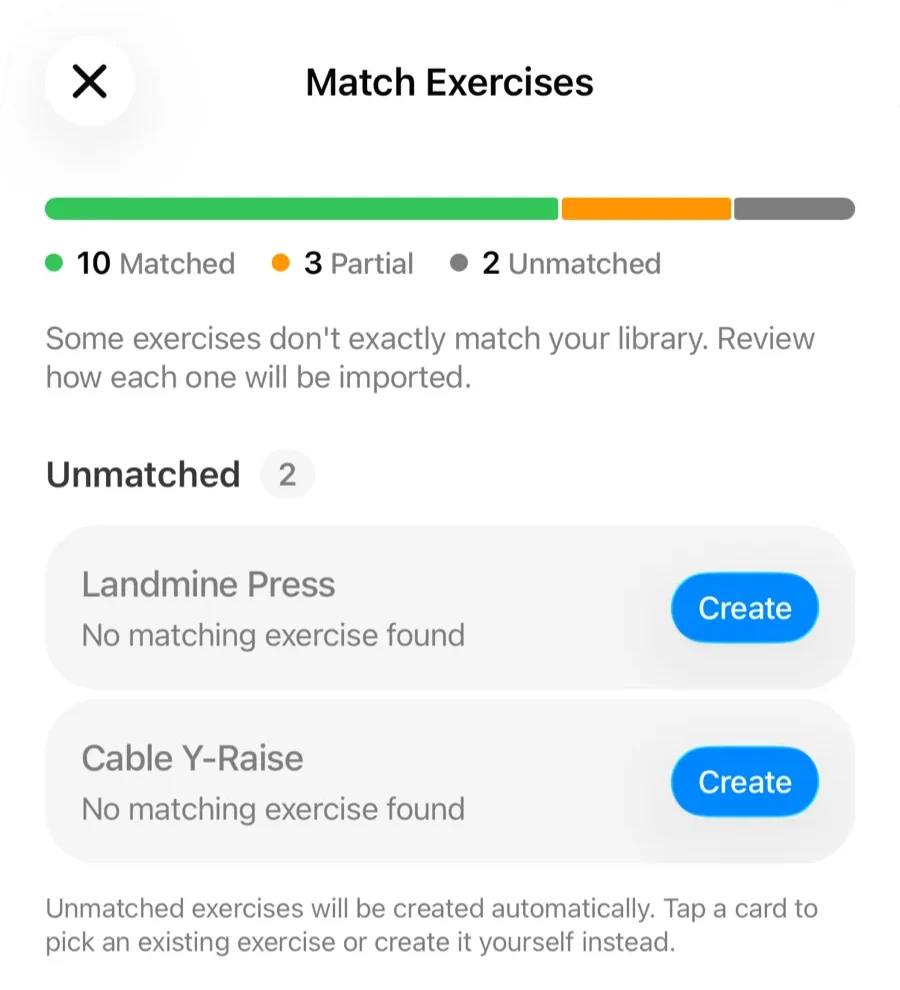
- Exercise names match automatically, and duplicates are skipped so importing twice never doubles your data
- AI import reads photos of a paper logbook, pasted notes, and PDFs
- Share a file to Gript from any app — CSV, PDF, or screenshot — and it imports with a preview
- Export anytime, in Gript, Strong, or Hevy format — your data is yours
A workout tracker built around your progress
Gript is a gym log for iPhone and Android that stays out of your way while you train. Every set you log — weight, reps, and effort — feeds charts that actually read clearly, so “am I getting stronger at this?” has an answer you can see.
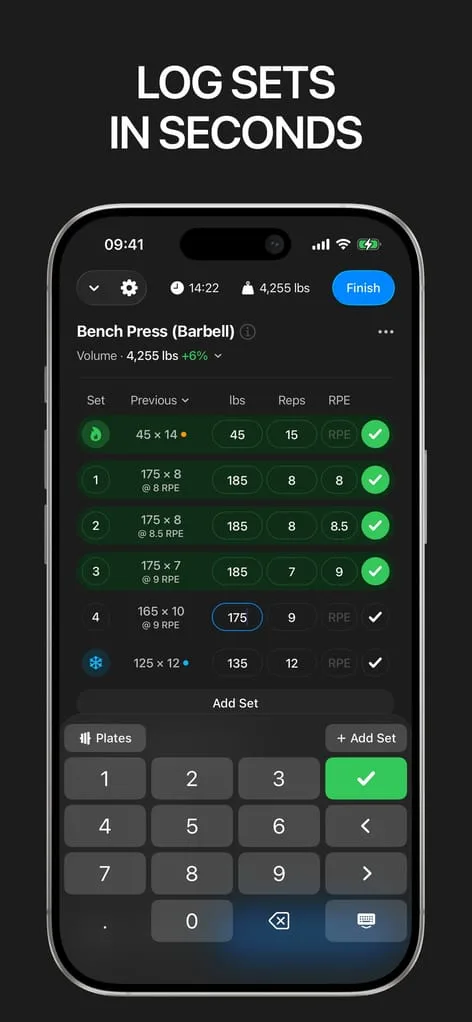
Log a set without breaking your rest
Your previous numbers sit right next to the set you're filling in, so you always know what to beat.
- Warm-up, drop, failure, and cool-down set types
- Supersets grouped the way you actually train
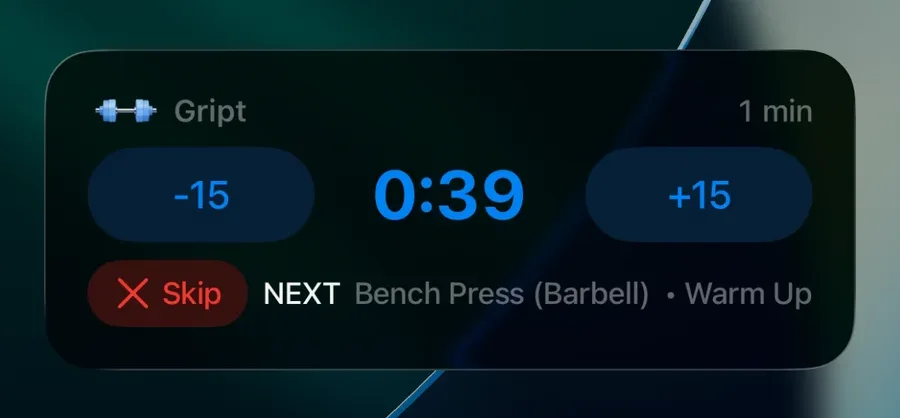
- Rest timer starts on its own after every set and learns the rest you actually take
- Keeps running on the Lock Screen with Live Activity, and its alert breaks through Focus
- Previous can follow any of your last five sessions, not just the last one
- Stopwatch for cardio, with distance in km or mi
- RPE and RIR effort tracking on any set
Progression, planned for you
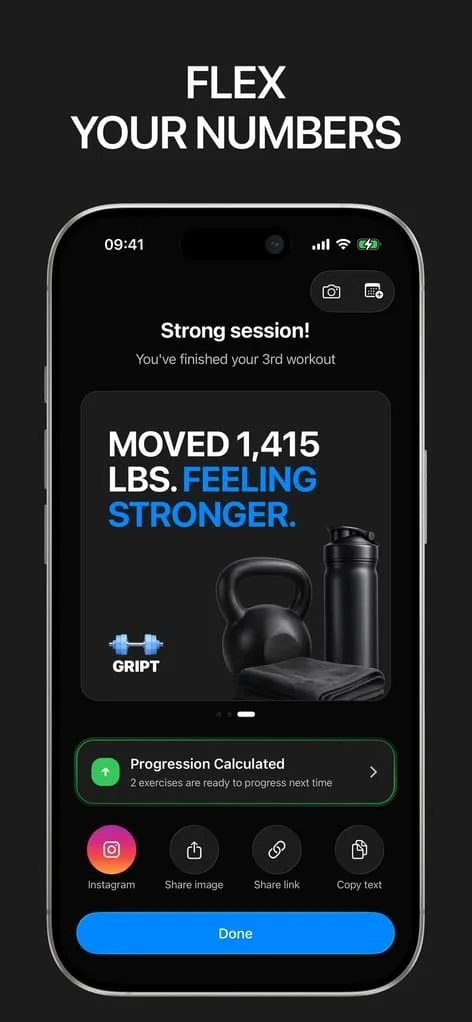
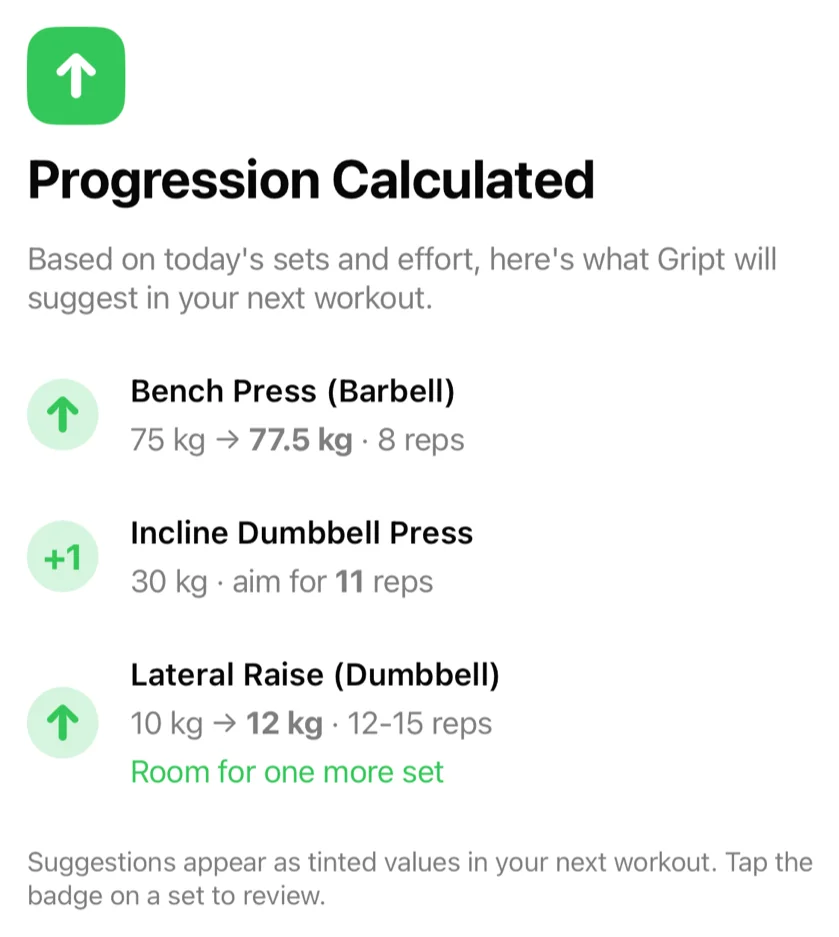
After every workout Gript works out what to do next time, so you stop guessing the weight.
- A suggested weight or rep target for every lift, with the reasoning shown
- Knows when to add, when to hold, and when to back off — read from your reps and effort
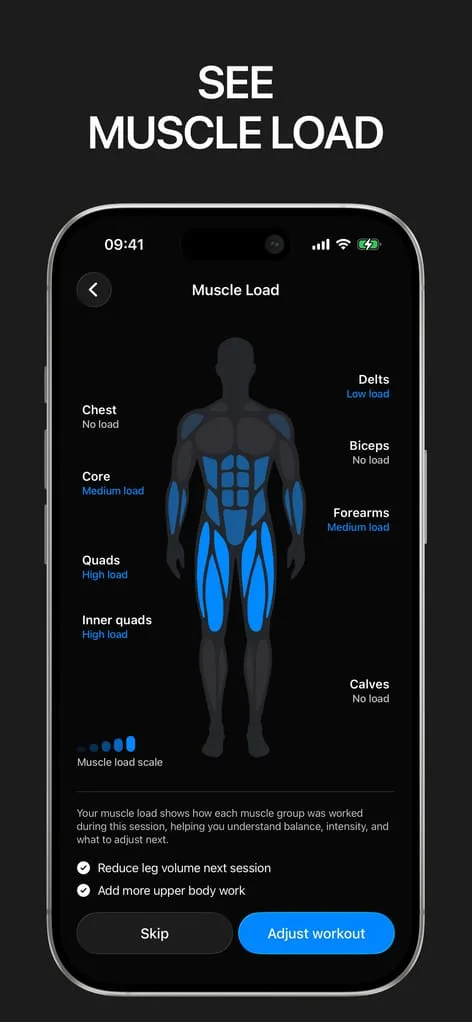
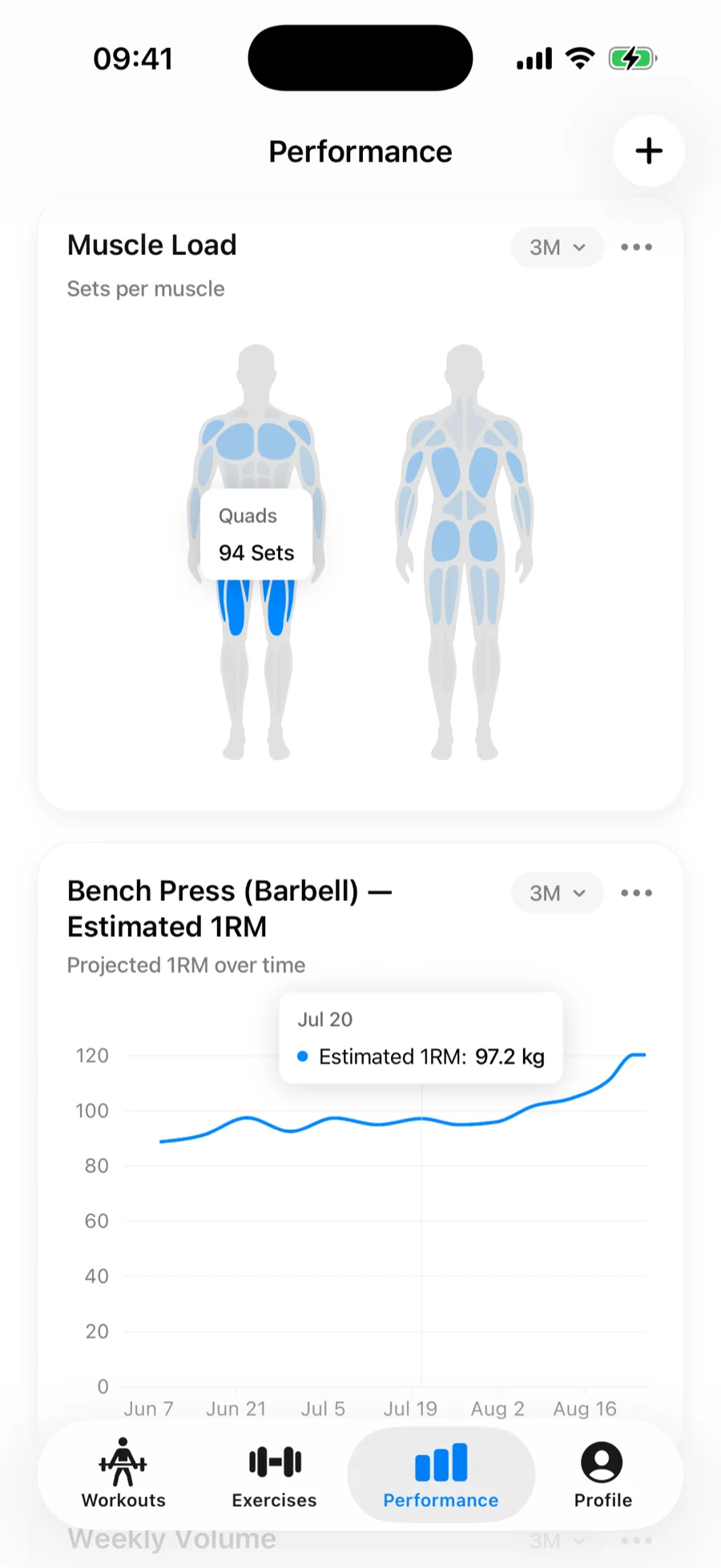
- Muscle load after every session shows what you actually trained
- AI workout generator builds a session around your goal, time, and equipment
- Routines show what changed after a workout and update in one tap
Charts that show what changed
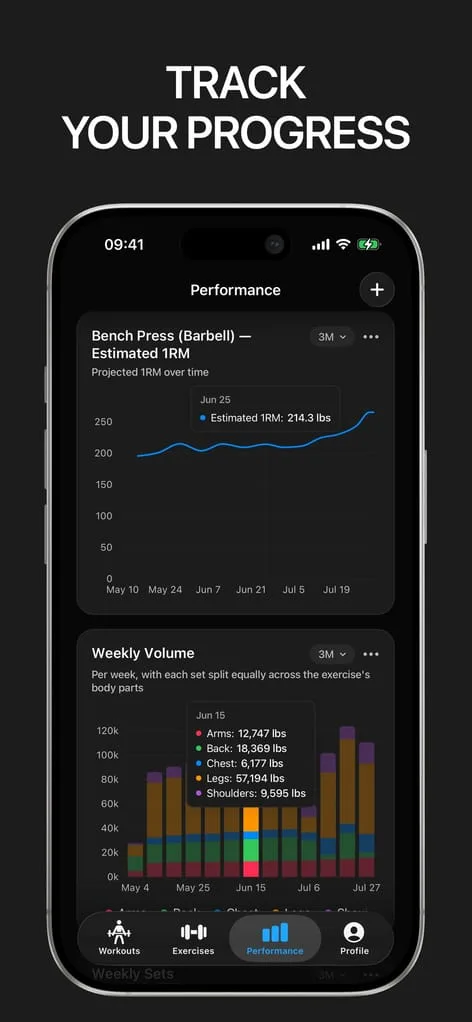
Every set feeds charts that read clearly, so you see what got stronger instead of interpreting a spreadsheet.
- Estimated one-rep max, volume, and best sets per exercise
- Muscle balance across your week, to catch what you keep skipping
- Personal records and a weekly goal to stay honest about frequency
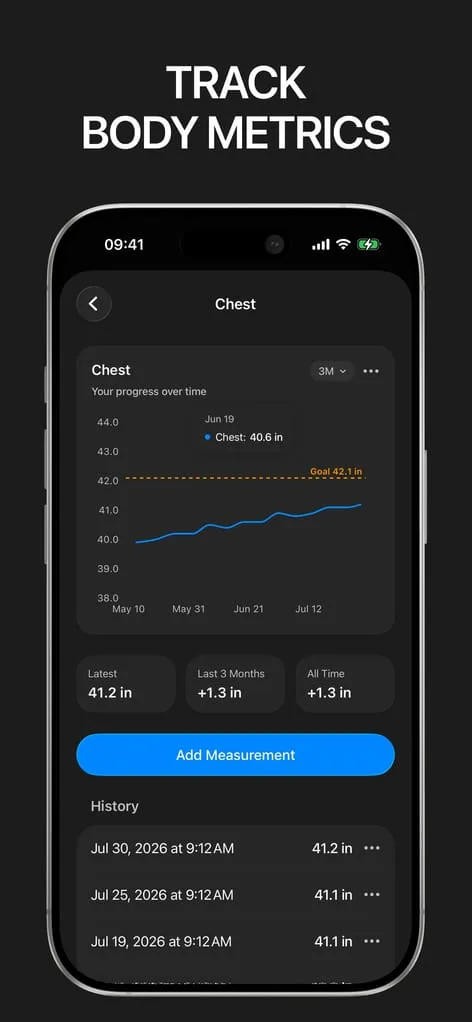
- Body measurements — weight, body fat, and thirteen body parts — charted alongside your training
Free to log. PRO when you want more.
The core tracker is free forever with no workout limit. PRO adds the deeper analytics and the in-app calculators.
Free
Everything you need to train
- Unlimited workouts and full history
- 600+ exercises with video demos
- 3 routines and 10 custom exercises
- Progress charts and personal records
- Import, export, Apple Watch, and Apple Health
PRO
Free trial available
- Unlimited routines and custom exercises
- Progression suggestions for every routine — the first five are free
- Unlimited AI-generated workouts
- Advanced charts: 1RM, training load, muscle load, and more
- 6-month, 12-month, and all-time chart history
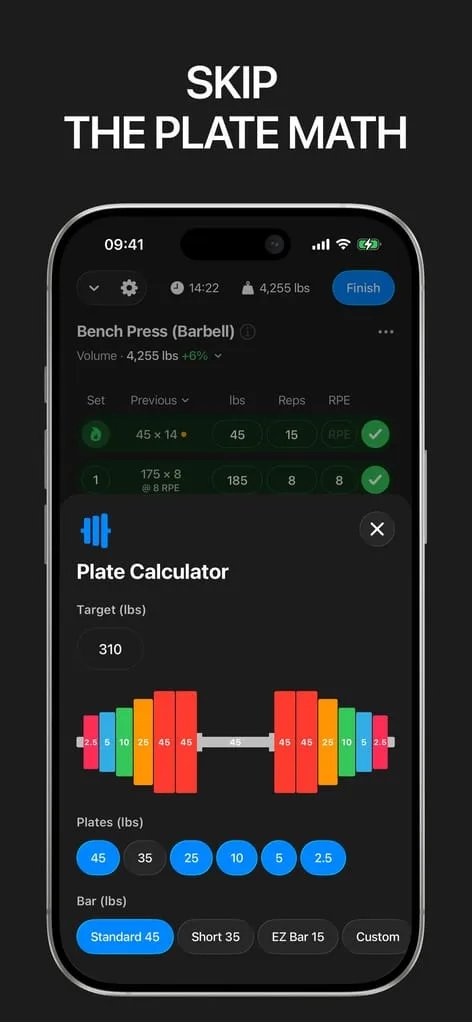
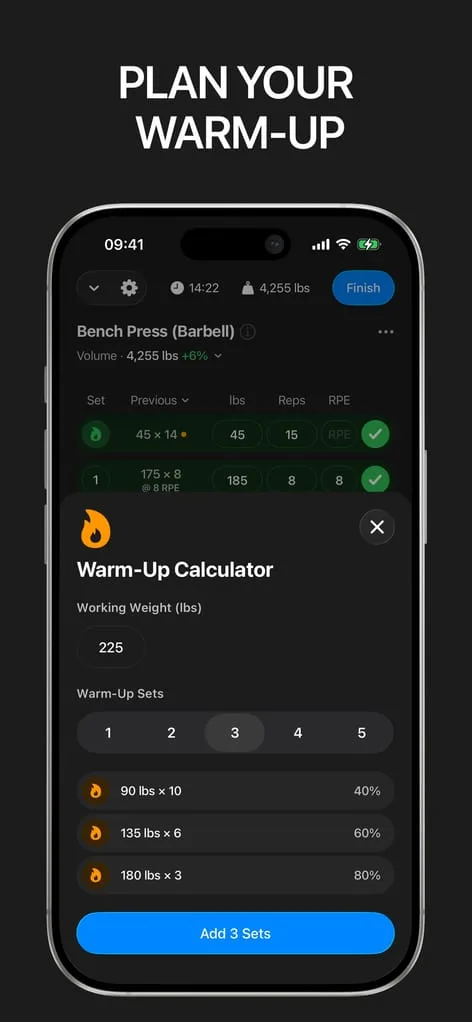
- Plate and warm-up calculators
Weekly, monthly, or yearly. Cancel anytime from the App Store or Google Play. What is included in PRO


Why lifters move to Gript
Gript is built around one question — am I getting stronger? — and it keeps your history when you arrive.
From Hevy
Keep the fast log and get charts you do not have to hunt for, plus a real Apple Watch app and a Live Activity rest timer. Your full history imports in about ten minutes.
How to switch from Hevy →From Strong
Same speed on the log screen, much deeper charts — muscle balance, training load, weekly volume — and your Strong CSV imports directly, notes and RPE included.
How to switch from Strong →From MacroFactor Workouts
Progression suggestions on a logger that also has a free tier, an Apple Watch app, and an import for your existing history — which MacroFactor Workouts does not offer.
See every import option →Lifters seem to like it
This app has so far the best interface and experience, everything is so clean and easy to navigate. I like it after trying many other apps.
The charts in this app are insane good!
I feel that every single time I open the app there is a new feature. Thanks for making it better every day.
Real reviews from the App Store.
Everything Gript does
Logging
- Supersets, drop sets, warm-ups, failure sets
- RPE and RIR effort tracking
- Automatic rest timers per exercise
- 600+ exercises with video demos
- Custom exercises
- AI workout generator for days without a plan
Progression & charts
- Progression suggestions for every routine
- Estimated 1RM, volume, and max-weight charts
- Muscle balance breakdowns
- Personal records and a weekly goal
Body tracking
Your data
- Import from Hevy, Strong, JEFIT + 10 more
- Share a CSV, PDF, or screenshot to Gript from any app
- AI import from paper logbooks
- Merge duplicate exercises without losing a set
- CSV export anytime — your data is yours
Apple Watch & iOS
- Full Apple Watch logging
- Live Activity rest timer on the Lock Screen
- Siri, Shortcuts, and Control Center controls
- iPad, full screen or in Split View
- Apple Health sync
- Timed sets and stopwatch
Calculators
Common questions
What is Gript?
Gript is a workout tracker and gym log for iPhone and Android. You log every set as you train — weight, reps, and effort — and Gript turns that history into progress charts, personal records, and muscle balance breakdowns. It is made by Gontech Ventures FZCO and is not affiliated with any gym or media company of a similar name.
Is Gript free?
Yes. Gript is free to download and free to log your workouts with, including charts, routines, and the exercise library. Gript PRO is an optional subscription that unlocks unlimited routines and custom exercises, advanced charts, longer chart history, and the in-app plate and warm-up calculators. There is a free trial.
Can I import my workouts from Hevy, Strong, or JEFIT?
Yes. Gript reads the CSV exports from Hevy, Strong, and JEFIT directly, bringing over your full history with per-set weights, reps, set types, and RPE. Exports from FitNotes, StrengthLog, Fitbod, GymBook, SugarWOD, Fitness Point, Forge, StrongLifts, Lyfta, and Motra are recognized too. Exercise names are matched against the Gript library automatically, and duplicate workouts are skipped, so importing twice never doubles your data.
Is Gript available on Android?
Yes. Gript is on Google Play with the same logging, routines, progress charts, and history import as the iPhone app, and it syncs workouts, weight, and body fat to Health Connect. Apple Watch and Live Activities stay iPhone-only; home-screen widgets are not available yet on either platform.
Does Gript work on iPad?
Yes. The same app runs on iPad — full screen, in landscape, and alongside other apps in Split View or Slide Over. Sign in with the same account and your history, routines, and charts are all there. Apple Watch pairs through your iPhone, so watch workouts still sync as usual.
Do I need an account to use Gript?
No. You can start logging as a guest without signing up. Signing in with Apple or Google enables cloud sync so your workouts, routines, measurements, and charts are backed up and restorable, and a guest can link an account at any time without losing data.
More in the Gript Help Center — 60-plus guides covering everything the app does.